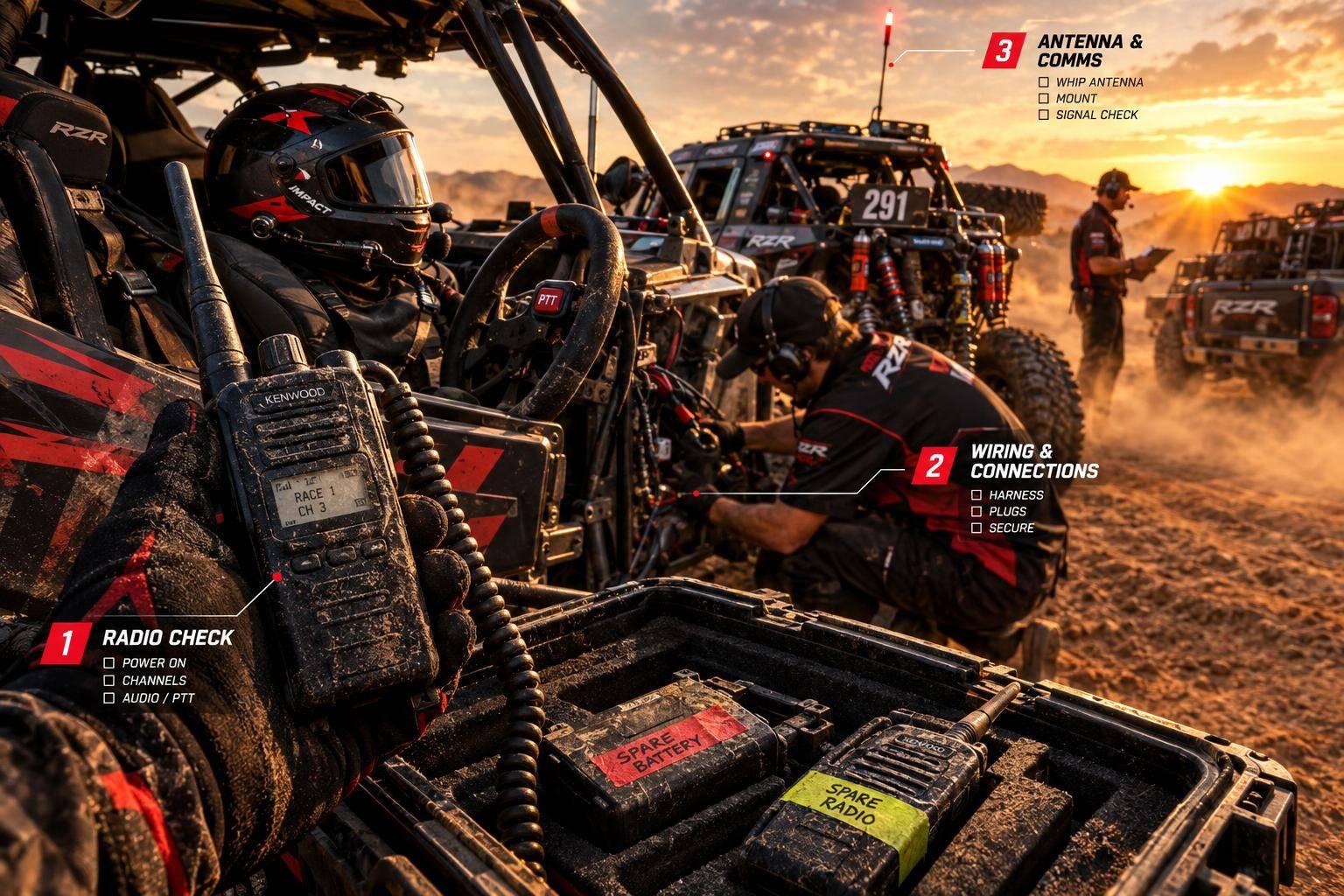
I check settings and audio first, then power, wiring, and the antenna – changing only 1 part at a time. Before inspecting wiring, I park securely, turn the engine off, and disconnect power. I never transmit through a damaged or disconnected antenna system.
Here’s my race-day plan:
- Find the fault: Match the symptom to the first check, confirm radio settings, and test two-way audio and PTT.
- Separate noise from range loss: Compare close-range and longer-range audio, then test with the engine off and running.
- Check the hardware: Inspect connections and cables, then measure voltage under load once it’s safe.
- Use tested spares: Swap compatible parts rather than attempt power or antenna repairs during the race.
My release rule is simple: <u>all 5 return-to-service checks must pass</u> – stable power, secure antenna hardware, two-way message readback, glove-friendly PTT, and clear audio with the engine running. Smoke, overheating, or repeated fuse failures mean I shut radio power down and keep the vehicle off course.
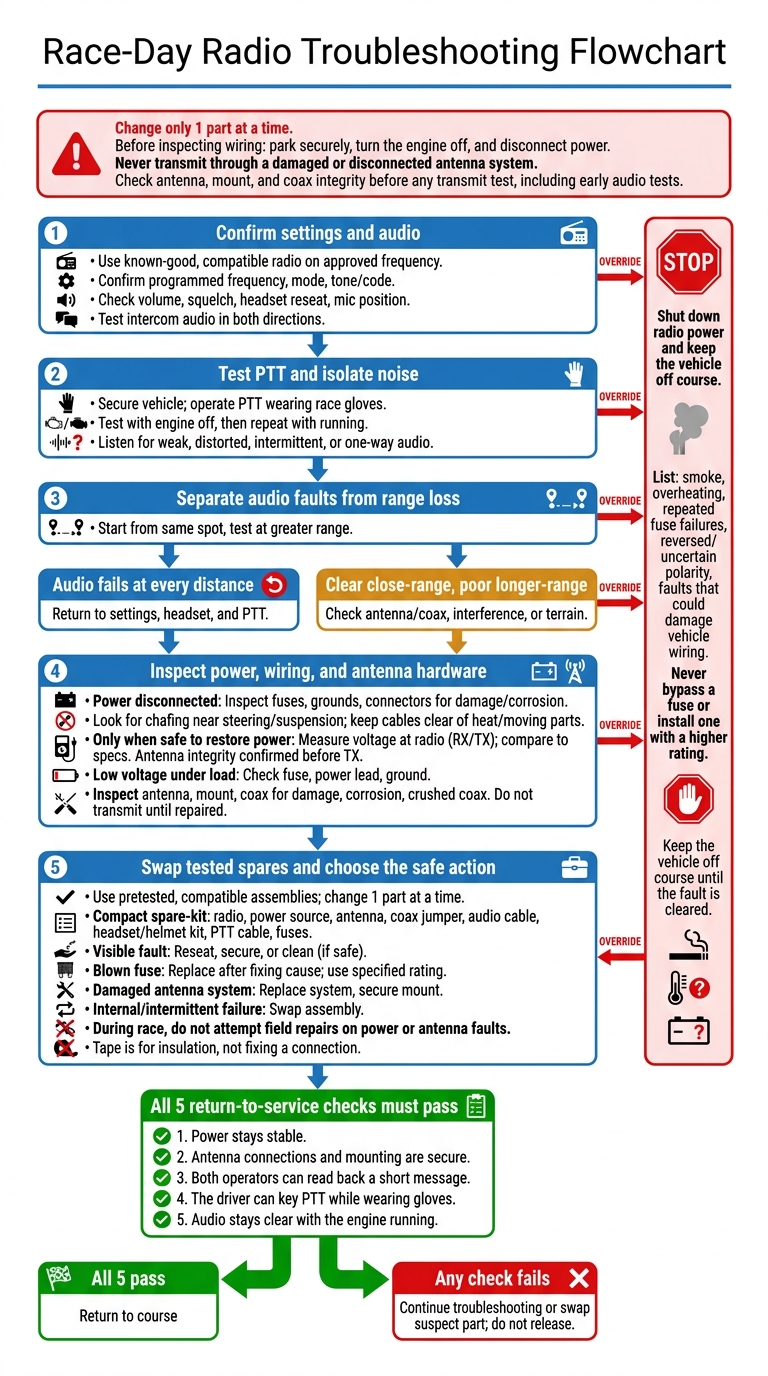
Race-Day Radio Troubleshooting Flowchart
Rugged Radios : How to Test Your Communications
sbb-itb-afc4690
Check Settings, Audio, and Signal Quality
If swapping known-good parts didn’t fix the fault, check settings and audio next.
Confirm Settings and Two-Way Audio
Have a crew member test with a known-good, compatible radio on the event-approved frequency. Check the programmed frequency, mode, and tone/code – not just the channel label.
Set the volume to a clear listening level, check squelch, reseat the headset, and position the mic correctly. Then check intercom audio in both directions. If receive and transmit still fail, move to the PTT test.
Test PTT With Gloves and the Engine Running
With the vehicle secured, operate PTT while wearing race gloves. Test with the engine off, then repeat with it running to isolate noise-related faults. Listen for weak, distorted, intermittent, or one-way audio.
Distinguish Audio Faults From Range Loss
Once settings and PTT pass, use brief, repeatable checks to separate audio faults from range problems. Start from the same spot and distance, then test at greater range.
Clear close-range audio indicates that the radio/audio path works. Poor range points to antenna or coax range loss, interference, or terrain. If audio fails at every distance, return to settings, headset, and PTT.
Inspect Power, Wiring, and the Antenna
If settings and audio check out, move on to the power supply, wiring, and antenna hardware.
Measure Voltage and Check Wiring
Disconnect power before inspecting the wiring. Check fuses, grounds, and connectors for loose connections, damage, moisture, or corrosion. Look for chafing near steering components and along suspension travel paths. Vibration, heat, and suspension movement often expose these faults first. Repair damaged wiring and secure loose connections before restoring power.
If the wiring looks intact, check voltage under load. Once it’s safe to power the system, measure voltage at the radio during receive and a brief transmit, then compare the readings with the manufacturer’s specs. Low voltage under load points to a problem with the fuse, power lead, or ground. Trace the voltage loss and repair the faulty connection.
Clean Connections and Secure Cables
Keep wiring away from exhaust heat, steering components, and control arms. Route it clear of moving parts throughout the suspension’s full travel. Leave enough slack so suspension movement won’t pull on connectors.
Check the Antenna, Mount, and Coax
If power checks pass, inspect the antenna system. Loose mounts and damaged coax often cause weak or intermittent range. A dedicated antenna mount needs to stay tight through vibration and rough terrain.
Before any transmit test, check the antenna, mount, and coax for loose connections, corrosion, or damage, including crushed coax sections. Repair or replace damaged coax, and tighten or replace a loose mount before transmitting.
Build a Tested Pit Radio Kit
If the fault remains unresolved, switch from diagnosis to pretested, compatible spares you can swap in fast. Pack tools separately from spare parts. Label both ends of every cable and group parts by vehicle.
Pack Tools and Repair Supplies
Pack a digital multimeter, flashlight, screwdrivers, nut drivers, hex keys, and crimpers. Include compatible contact cleaner, approved dielectric grease, heat-shrink tubing, electrical tape, self-fusing silicone tape, cable wraps, and labels.
Use tape only for insulation or temporary weatherproofing – not to fix a connection.
Match each task to the right tool and safety limit:
| Task | Tool and limit |
|---|---|
| Check supply voltage | Digital multimeter set to DC volts |
| Check continuity | Multimeter, with power disconnected and the circuit isolated |
| Inspect connectors and terminals | Flashlight and suitable hand tools |
| Check antenna performance | RF test equipment, used only by trained crew |
Prepare Compatible Spare Parts
Keep a complete, known-good set ready: radio, power source, antenna, coax jumper, audio cable, headset or helmet kit, and PTT cable. Include correctly rated fuses.
Before race morning, check fit, pinouts, power requirements, antenna frequency, and channel settings. Clearly mark tested parts and store suspect parts separately.
During the race, swap faulty assemblies. Do not attempt field repairs on power or antenna faults. If a spare doesn’t restore clean operation, move to the repair-or-replace decision before returning to the course.
Decide Whether to Repair, Replace, or Shut Down
Compare Repair and Replacement Options
Once you’ve checked settings, wiring, and spares, decide whether you can safely fix the fault in the pits or replace the part faster. Base repair limits on crew skills, available spares, and event rules.
| Fault type | Race-day repair | Preferred action | Reason |
|---|---|---|---|
| Visible connection fault | Repair | Reseat, secure, or clean the connection | Best candidate for a field repair. |
| Blown fuse | Replace only after fixing the cause | Install a fuse with the specified rating | – |
| Damaged or disconnected antenna system | Replace | Swap the antenna system and secure the mount | Unsafe to repair on race day. |
| Internal or intermittent failure | Replace | Swap the assembly | – |
Stop for Electrical or Antenna Hazards
Shut down radio power if you notice overheating, smoke, repeated fuse failures, reversed or uncertain polarity, or any fault that could damage vehicle wiring.
Never bypass a fuse or install one with a higher rating. Keep the vehicle off course until the fault is cleared.
Run the Return-to-Service Checklist
Before releasing the vehicle, check each item with the driver and pit operator:
- [ ] Power stays stable.
- [ ] Antenna connections and mounting are secure.
- [ ] Both operators can read back a short message.
- [ ] The driver can key PTT while wearing gloves.
- [ ] Audio stays clear with the engine running.
If any check fails, continue troubleshooting or swap the suspect part before the vehicle returns to the course.
FAQs
How can I isolate engine-related radio interference?
Check whether the noise changes with engine RPM. Then try powering the radio with a separate external battery. If the noise disappears, the vehicle’s power distribution or grounding system is likely the cause.
Connect the radio’s power leads directly to the battery terminals, rather than accessory circuits. Also, check that the ignition system and spark plug wires have proper shielding. Both are common sources of noise in high-performance off-road setups.
How can I tell terrain blockage from antenna trouble?
Terrain blockage usually causes signal loss that comes and goes in specific spots, such as behind hills or rock formations, or inside canyons. If reception returns when you move to higher ground or change your position relative to the terrain, the terrain is blocking the signal.
If reception stays weak, full of static, or absent no matter where your vehicle is or which direction it faces, the likely cause is a damaged antenna, loose connection, or failing cable.
What if my radio works only intermittently?
Intermittent radio performance often points to loose connections, damaged wiring, or antenna problems. Check the coax cable for kinks, fraying, and loose connectors. Make sure the power and ground wires are secure and free of corrosion. Then confirm that the antenna mount is properly grounded to the chassis.
If the problem continues, try swapping the antenna or headset with a unit you know works. This can help pinpoint the faulty component.
Leave a Reply